If you follow this and something breaks, that is on you. I am not responsible for a bricked router, a lost config, or whatever else goes wrong. When a step failed for me, the useful move was to paste the exact error into an AI and ask what to check next. Guessing from a forum thread was slower.
I wanted the Xiaomi AX3200 off stock firmware. OpenWrt lets me set the firewall, the routes, and which domains skip a proxy. The ISP router stayed. The AX3200 sits behind it. This post is the router side. I already had a VLESS server to point at. Building that server is a different job.
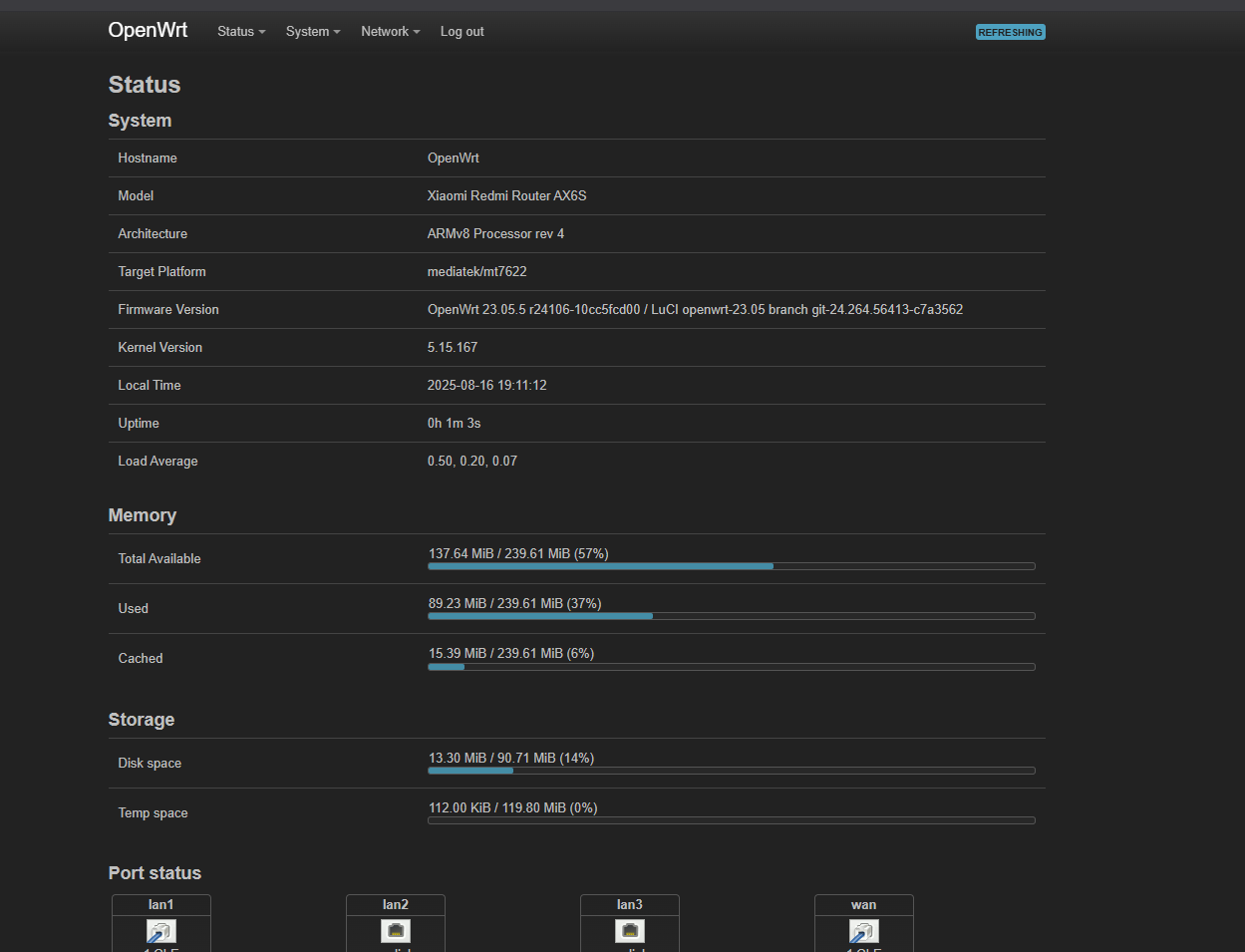
International model, RB01, label says produced 06/2024, stock firmware MiWiFi 1.0.83. CPU is a MediaTek MT7622B, 256 MB RAM, 128 MB NAND. The June 2024 date matters because the AX3200 wiki calls out newer international units and their bootloader. I flashed OpenWrt 23.05.5 in August 2025. Kernel on the status page was 5.15.167, target mediatek/mt7622, packages aarch64_cortex-a53. PassWall2 and Xray from that month are older than what the release page shows now. Old asset URLs from this post 404. Download whatever the page lists for your architecture today.
Cables, before touching software
During the unlock and the flash, the PC was on Ethernet into a Xiaomi LAN port. I left the Xiaomi powered the whole time. I did not plug the Xiaomi WAN into the ISP router yet. The ISP router can stay up on its own. Wi-Fi for the PC just made the addresses harder to trust.
After OpenWrt was installed and the LAN address had moved:
ISP router LAN  ->  AX3200 WAN
PC            ->  AX3200 LAN
Internet
|
ISP router 192.168.1.1
| LAN
AX3200 OpenWrt 192.168.50.1
| LAN / Wi-Fi
phone, laptop, TVnetmode 4, then XMiR
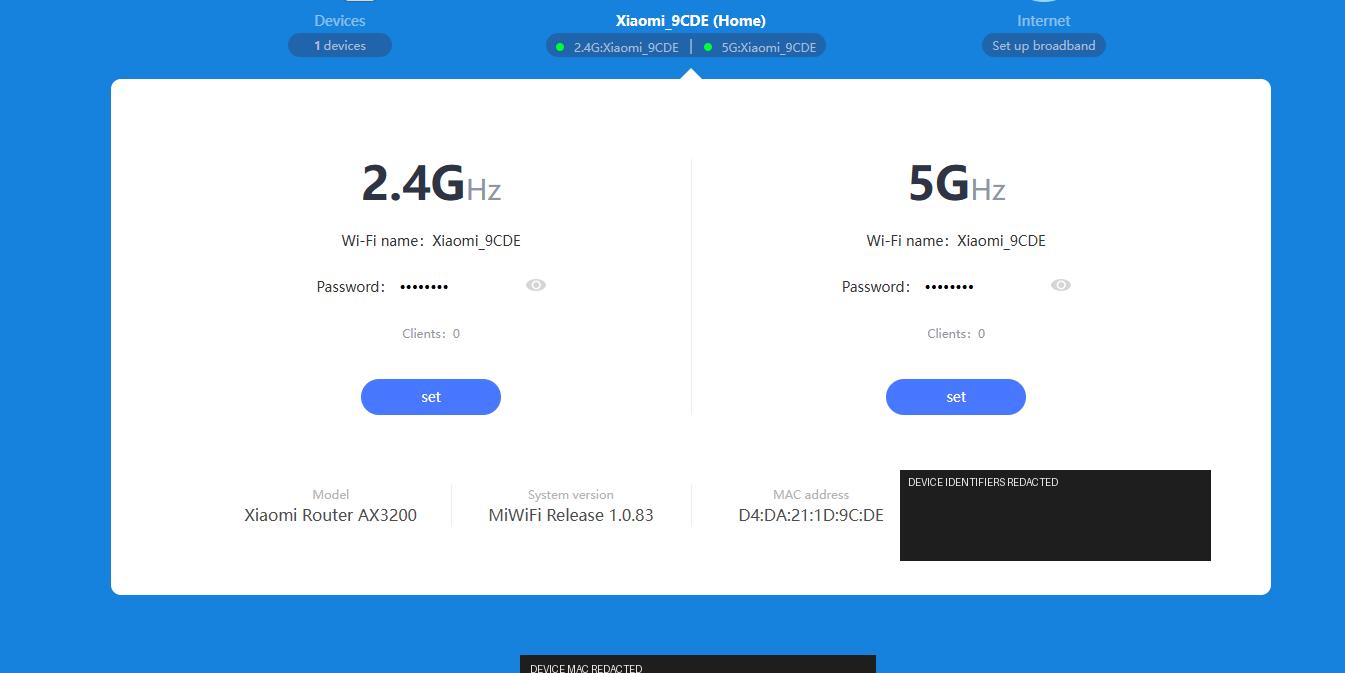
Stock management was http://192.168.31.1. There is no OpenWrt upload button. I tried the wiki's xiaomi-enable-mesh-telnet.py path first. The script printed binary Response blocks and I thought it had died. The check that mattered was the stock API, using the stok from the admin session I was already logged into:
http://192.168.31.1/cgi-bin/luci/;stok=<CURRENT_STOK>/api/xqnetwork/get_netmodeIt came back {"netmode":4,"code":0}. That confirmed netmode 4. stok is a session token. Mine stays off this page. I also opened 192.168.32.1 once and got a 404. The router was on 192.168.31.1.

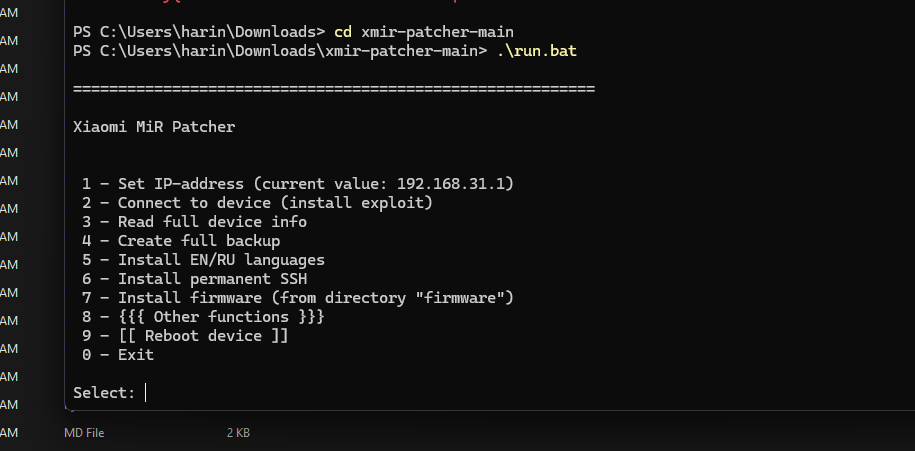
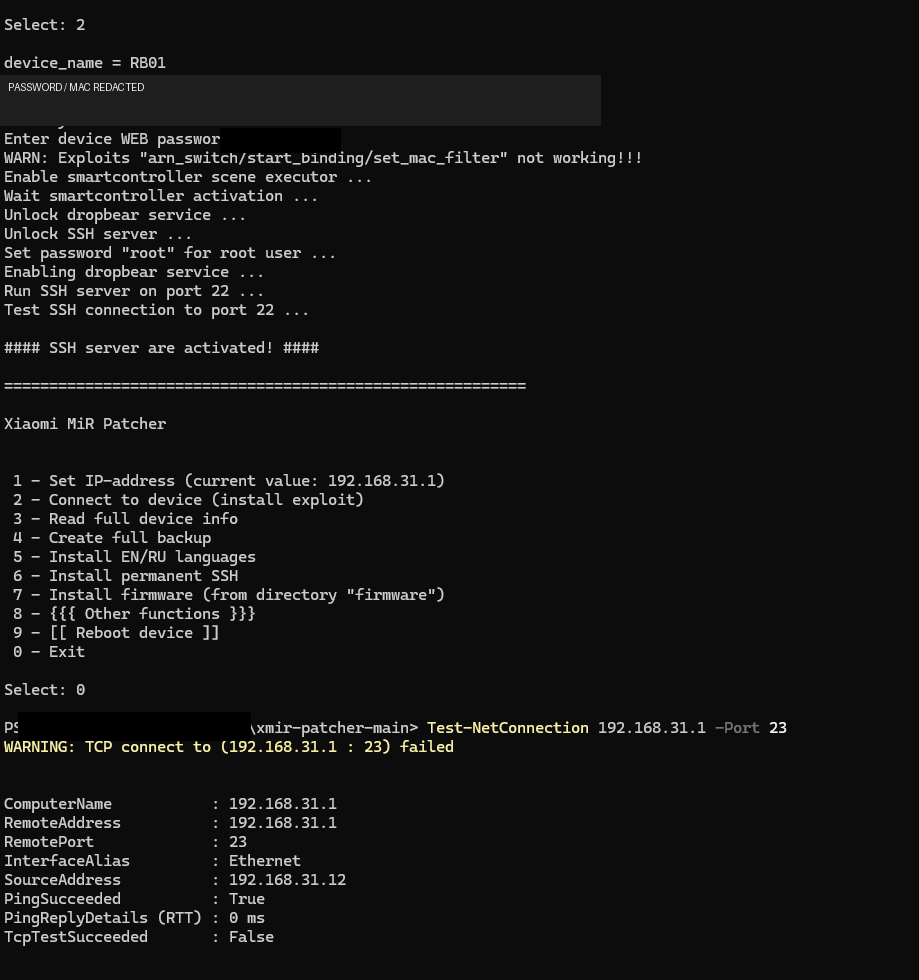
Telnet from there was a mess on Windows, so I switched to XMiR-Patcher. run.bat from Explorer flashed open and closed. I ran it from an Administrator PowerShell so the menu stayed. Option 2, connect and install the exploit, IP 192.168.31.1. It asked for the stock web admin password. The screen showed device_name = RB01 and rom_version = 1.0.83 release, then #### SSH server are activated! #### on port 22. You do not need both tools if XMiR already gave you SSH. I ran netmode first because that was the wiki path. XMiR is what actually got me a shell.
The root password for that SSH login came from the serial on the router label, not the MAC. I pulled unlock_pwd.py with the real curl binary, because PowerShell's curl is Invoke-WebRequest and it rejects -L:
curl.exe -L -o unlock_pwd.py https://raw.githubusercontent.com/Freifunk-Dresden/AX6S-unlock/master/unlock_pwd.py
python .\unlock_pwd.py "YOUR_SERIAL_NUMBER"
The script prints a password. That is what I used for root in PuTTY, host 192.168.31.1, port 22. Banner was Welcome to XiaoQiang!. Serial and password stay off this page.
Factory image, not sysupgrade
On the stock shell I set the NVRAM flags from the wiki's old bootloader path:
nvram set ssh_en=1
nvram set uart_en=1
nvram set boot_wait=on
nvram set flag_boot_success=1
nvram set flag_try_sys1_failed=0
nvram set flag_try_sys2_failed=0
nvram commit
Newer bootloaders want different handling. Read the device page for the unit in front of you before you type that.
First install uses the factory image. I did not use the sysupgrade file here. The wiki keeps those as separate steps, and the wrong one on a new AX3200 is how people brick them. The file was:
openwrt-23.05.5-mediatek-mt7622-xiaomi_redmi-router-ax6s-squashfs-factory.binI renamed it factory.bin so I would not mistype the long name. WinSCP, SCP, root, drag the file into /tmp. That directory is tmpfs. A reboot wipes it. Then:
cd /tmp
mtd -r write factory.bin firmware
I left it alone until it rebooted. Stock 192.168.31.1 was gone. OpenWrt was at http://192.168.1.1. First boot had open Wi-Fi. I set a root password and WPA before doing anything else. OpenWrt did not make the radios reach farther. Same antennas.
Second router, different subnet
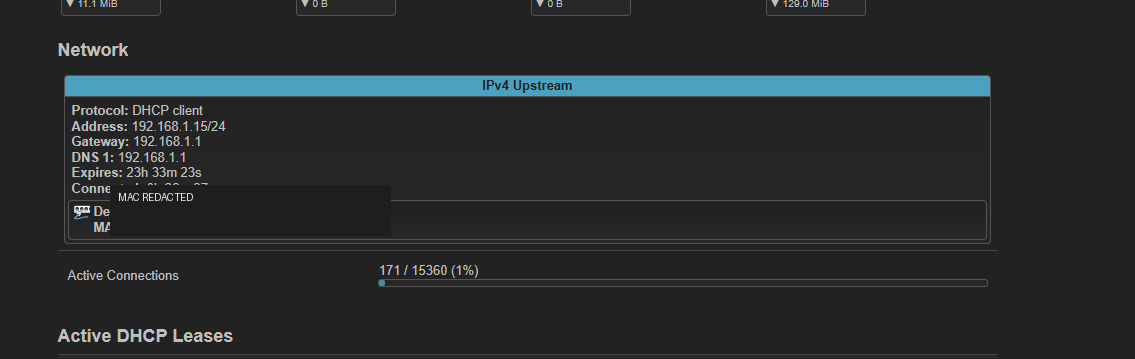
The fiber still terminates on the ISP router. I moved the AX3200 LAN to 192.168.50.1 so it would not sit on the same subnet as the ISP box at 192.168.1.1. Then I plugged ISP LAN into the Xiaomi WAN. WAN is a DHCP client. In the test it got 192.168.1.15/24, gateway 192.168.1.1. LuCI after the move is http://192.168.50.1.
Six reboots
The wiki says some newer international units soft-brick after six reboots. Mine is a June 2024 unit, so I applied the workaround after OpenWrt was up. Check first:
fw_printenv | grep -e ^flag_try -e ^boot_fwfw_setenv boot_fw1 "run boot_rd_img;bootm"
fw_setenv flag_try_sys1_failed 8
fw_setenv flag_try_sys2_failed 8
fw_setenv flag_boot_rootfs 0
fw_setenv flag_boot_success 1
fw_setenv flag_last_success 1Reboot, then the same fw_printenv line. I got flag_try_sys1_failed=9 and flag_try_sys2_failed=8, and both boot_fw0 and boot_fw1 were run boot_rd_img;bootm. The 9 looked like a typo. The wiki treats 8 or higher as the workaround holding. Debrick, if you need it, is the TFTP section on that device page.
PassWall2, without filling /tmp
Overlay on that build had about 91 MB free. /tmp was about 119 MB of RAM. I unzipped the whole PassWall package zip into /tmp and the shell said write error (disk full?). Look at the zip first:
unzip -l passwall_packages_ipk_aarch64_cortex-a53.zip | egrep 'xray-core|sing-box'Mine listed:
sing-box_1.12.0-r1_aarch64_cortex-a53.ipk
xray-core_25.8.3-r1_aarch64_cortex-a53.ipk
I only run Xray, so I pulled that one file out:
unzip -j passwall_packages_ipk_aarch64_cortex-a53.zip 'xray-core_*aarch64_cortex-a53.ipk' -d .Pasted GitHub release URLs 404'd. I opened the release page in a browser, grabbed the ipks that matched 23.05, opkg, and aarch64_cortex-a53, and copied them with WinSCP. The LuCI package is *_all.ipk. The core and the helpers are the architecture ones.
luci-app-passwall2 still would not install. It wanted tcping and geoview from that same package set. I installed those two, then Xray, then the LuCI app.
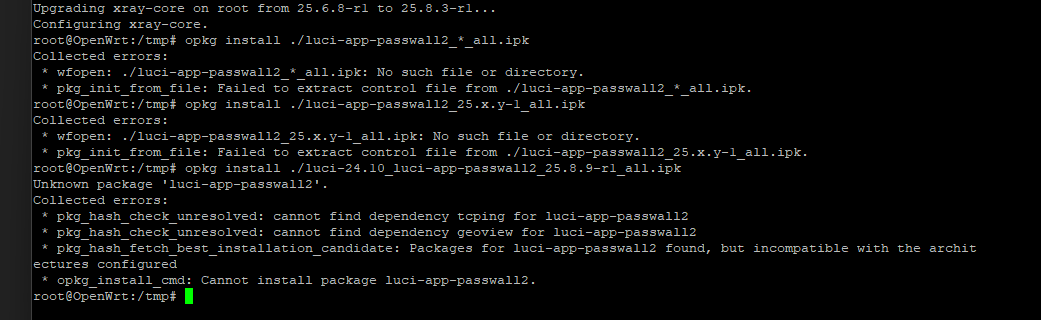
nftables mode then complained that dnsmasq was too old, or built without nftset. I thought it was the version. dnsmasq -v said 2.90, which is past the 2.87 in the warning, and also no-nftset. The build flag was the actual miss. I swapped in dnsmasq-full from the 23.05 feed.
The node is a client
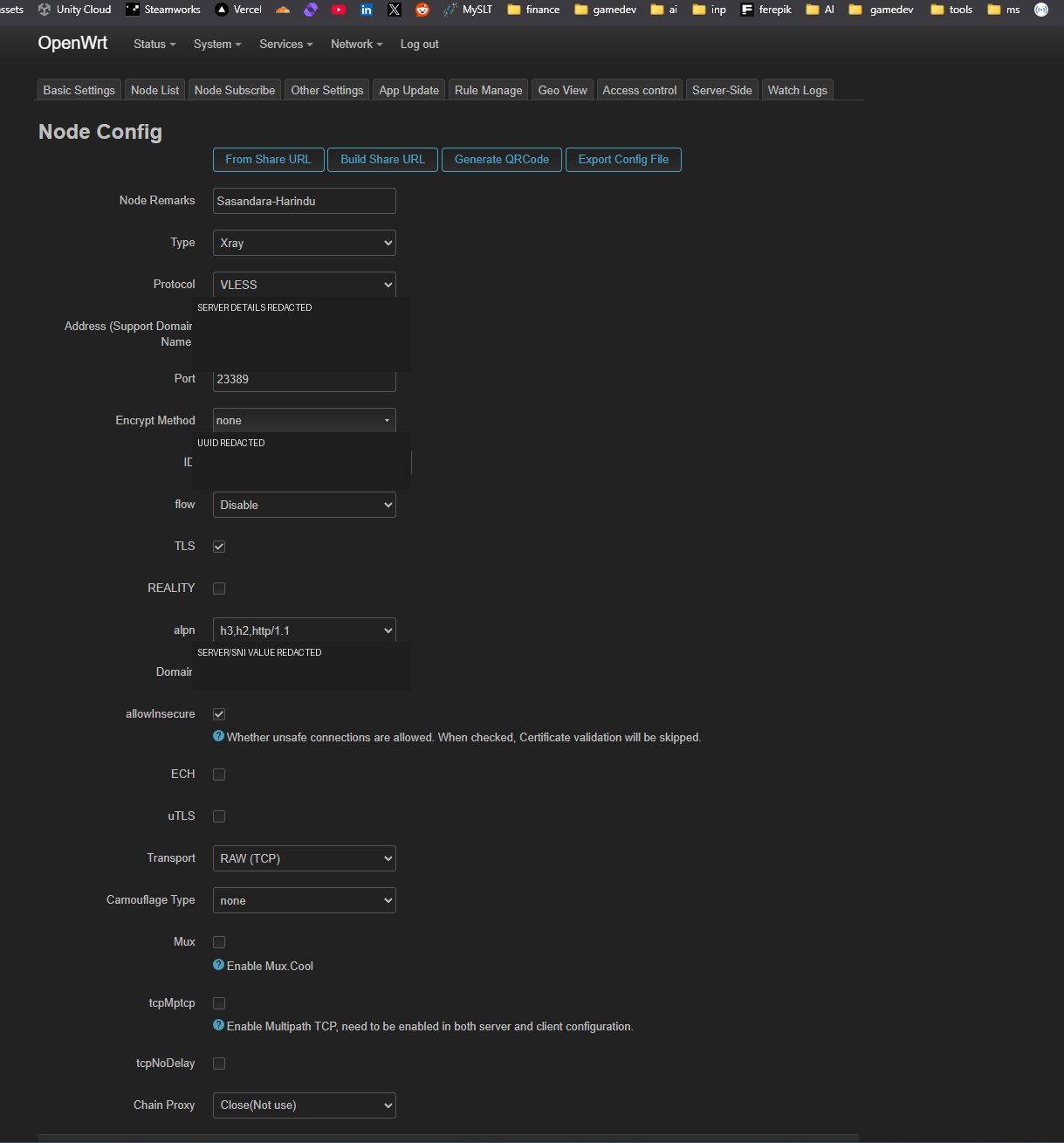
PassWall2 on this router dials a server I already had. It does not create one. My node was Xray, VLESS, RAW TCP, TLS on, REALITY off, flow disabled. That matched that server. Another server wants different TLS, REALITY, or transport settings. VLESS is the protocol. TLS is what encrypted this one. Address, port, UUID, and SNI have to come from the server config, not from my screenshot. Those fields are covered. The port and the node nickname on the screen are mine too. Leave them.
Direct for a few domains
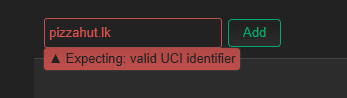
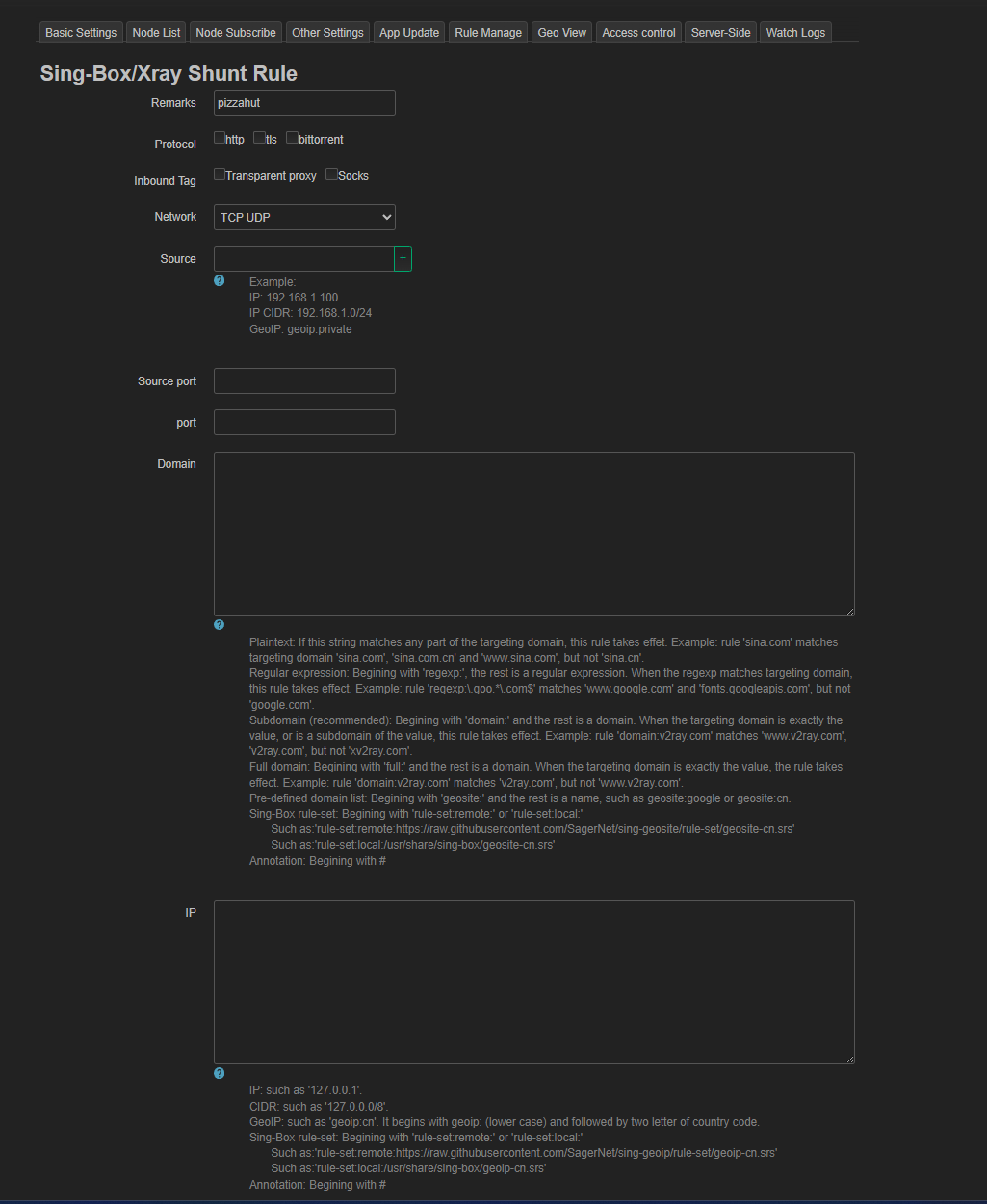
Shunt rules are under Services, PassWall2, Rule Manage, the Sing-Box/Xray shunt editor. Most traffic goes through the node. A few domains go Direct out the WAN, for a bank, a local shop, a game, stuff that hates a datacenter exit. I typed pizzahut.lk into the name box and got Expecting: valid UCI identifier. That box is the config id. The domain is a different field.
Wrong
  Name: pizzahut.lk

What I saved
  Name: pizzahut
  Domain:
    domain:pizzahut.lk
    domain:example-bank.lk
    domain:example-shop.com
  Outbound: Direct
Several domains can sit in one rule, one per line. logread | grep -i passwall when something is on the wrong path. Check the exit IP from a phone or laptop. The router's own curl is not that client.
One speed check
Wi-Fi on the AX3200 was slower than the ISP router in the one test I wrote down: about 113 Mbps down and 117 up, against about 295 down and 150 up on the ISP box. That was one sitting, with the proxy in the path. I would not call that the AX3200's limit. Channel width, the Ethernet link, flow offloading, CPU, and the proxy were all in that number.
Leave these off the clipboard: my serial, the derived root password, the stok, the MAC, the VLESS address, UUID, port, and SNI. Those are this router and this server. The wiki and your own server config are the ones to type.